
Graphic design portfolio PDFs are crucial tools for designers, acting as a digital business card to showcase expertise to prospective clients and employers․
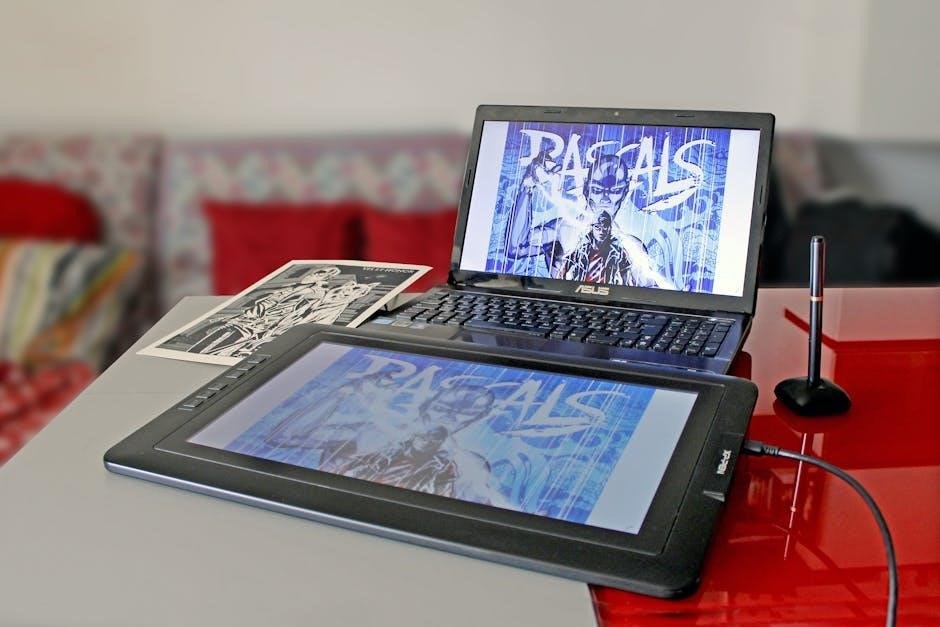
These PDF examples demonstrate skills in photo editing, design, and layout, often utilizing software like Photoshop, InDesign, and Canva for impactful presentations․
A․ The Importance of a Strong Portfolio
A compelling graphic design portfolio is paramount for career advancement and securing freelance opportunities․ It’s more than just a collection of work; it’s a curated representation of your skills, creativity, and problem-solving abilities․ Potential clients and employers rely heavily on portfolios to gauge a designer’s style, technical proficiency, and overall quality of work;
Without a strong portfolio, even exceptional talent can go unnoticed․ A well-constructed PDF portfolio serves as a powerful first impression, demonstrating your capabilities in a visually appealing and easily accessible format․ It allows you to highlight your best projects, showcasing your versatility across various design disciplines – branding, web design, print materials, and more․
Essentially, your portfolio is your most valuable marketing asset, directly influencing your ability to attract desirable projects and establish yourself as a professional in the competitive graphic design industry․
B․ Why PDF Format is Preferred
The PDF format reigns supreme for graphic design portfolios due to its universal compatibility and preservation of visual integrity․ Unlike other file types, PDFs ensure your design appears consistently across different devices and operating systems, regardless of the viewer’s software․ This eliminates formatting issues and guarantees your work is presented as intended․
PDFs also offer excellent file size management, allowing for optimization for digital sharing without sacrificing image quality․ They are easily emailed, uploaded to online platforms, and viewed on tablets and smartphones․ Furthermore, PDFs support embedded fonts, preventing font substitution and maintaining your intended typography․
Essentially, a graphic design portfolio in PDF format provides a reliable, professional, and accessible showcase of your creative talents, making it the industry standard for presentation․
C․ Target Audience: Clients vs․ Employers
Tailoring your graphic design portfolio PDF to your target audience – potential clients or employers – is crucial for maximizing impact․ When presenting to clients, emphasize projects demonstrating problem-solving skills and a clear understanding of business objectives․ Showcase versatility and your ability to meet diverse needs, highlighting relevant examples․
For prospective employers, focus on projects aligning with the company’s style and industry․ Demonstrate technical proficiency with software like Adobe Photoshop and InDesign, and emphasize collaborative skills․ A PDF geared towards employers should highlight your career progression and design process․
Ultimately, understanding your audience ensures your portfolio effectively communicates your value and suitability for the opportunity․

II․ Content Selection: What to Include
A strong graphic design portfolio PDF prioritizes quality over quantity, featuring only your best work – showcasing diverse projects like branding, web, and print examples․
A․ Best Work Only: Quality Over Quantity
Focusing on quality over quantity is paramount when assembling your graphic design portfolio PDF․ Potential clients and employers are far more impressed by a curated selection of exceptional pieces than a sprawling collection of mediocre work․ Each project included should demonstrably showcase your skills, creativity, and problem-solving abilities․
Resist the urge to include every project you’ve ever completed․ Instead, be highly selective, choosing only those pieces that truly represent your best capabilities and align with the type of work you want to attract․ A concise, impactful portfolio is more likely to hold a viewer’s attention and leave a lasting positive impression․ Remember, you’re selling your expertise, so present only your strongest examples․
B․ Diverse Project Types (Branding, Web, Print)
A compelling graphic design portfolio PDF should demonstrate versatility by showcasing a range of project types․ Include examples spanning branding, web design, and print materials to highlight your adaptability and broad skillset․ This diversity assures potential clients and employers that you can handle various design challenges effectively․
Showcasing proficiency in different mediums—like packaging designs, apparel mockups, or book covers—expands your appeal․ A well-rounded portfolio proves you aren’t limited to a single style or industry․ Tailor the project mix to the roles you’re targeting, but always aim for a balanced representation of your capabilities․ This demonstrates a comprehensive understanding of design principles across multiple platforms․
C․ Case Studies: Showcasing Problem-Solving
Elevate your graphic design portfolio PDF beyond simply displaying finished work by incorporating detailed case studies․ These aren’t just visual presentations; they demonstrate your thought process and ability to solve real-world design problems․ Explain the initial challenge, your design approach, and the positive outcomes achieved for the client or project․
Examples should clearly articulate your role and contributions․ Highlight how your design solutions addressed specific needs and objectives․ This narrative approach transforms your portfolio from a collection of images into a compelling story of your skills and expertise․ Potential employers and clients value this insight, as it reveals your analytical and strategic thinking abilities․

III․ Software & Tools for PDF Creation
Graphic design portfolio PDFs are commonly created using industry-standard software like Adobe InDesign, Illustrator, and Photoshop, alongside user-friendly options such as Canva․
A․ Adobe InDesign: Industry Standard
Adobe InDesign reigns as the industry-leading software for crafting professional graphic design portfolio PDFs․ Its robust layout and typography controls allow designers to meticulously arrange projects, ensuring a visually compelling presentation․ Unlike image-based programs, InDesign excels at handling large amounts of text and vector graphics, resulting in crisp, scalable PDF outputs․
Designers leverage InDesign’s master pages for consistent branding throughout the portfolio, and its integration with other Adobe Creative Cloud applications—like Photoshop and Illustrator—facilitates seamless workflow․ Creating interactive elements, such as clickable links to online work, is also straightforward․ While possessing a steeper learning curve than simpler tools, mastering InDesign unlocks unparalleled control over the final PDF’s aesthetic and functionality, making it the preferred choice for serious professionals․
B․ Adobe Illustrator: Vector-Based Designs
Adobe Illustrator is a powerful tool for graphic designers creating portfolio PDFs centered around logos, illustrations, and other vector-based artwork․ Its strength lies in creating scalable graphics that remain sharp at any size, crucial for high-quality PDF presentation․ Designers can directly build layouts within Illustrator, though it’s often used in conjunction with InDesign for multi-page documents․
Illustrator’s precise control over shapes, colors, and typography allows for stunning visual displays of branding and identity work․ Exporting to PDF ensures compatibility and preserves vector data, maintaining image integrity․ While not primarily a layout program, Illustrator’s capabilities are invaluable for showcasing designs where scalability and precision are paramount, contributing significantly to a professional portfolio․
C․ Adobe Photoshop: Image-Heavy Projects
Adobe Photoshop excels when building a graphic design portfolio PDF showcasing image-focused work, such as photo manipulation, digital painting, or complex compositions․ Designers utilize Photoshop to refine and enhance visuals, ensuring they appear polished and professional within the PDF format․ It’s particularly useful for projects involving extensive image editing and retouching, demonstrating skills in visual storytelling․
While primarily an image editor, Photoshop can also be used for basic layout and PDF creation․ However, for multi-page portfolios, integrating Photoshop files into InDesign is often preferred․ Properly optimizing images for web viewing within Photoshop is crucial to maintain quality while minimizing PDF file size, ensuring a smooth viewing experience for potential clients and employers․
D․ Canva: User-Friendly Option
Canva presents a remarkably accessible route for crafting a graphic design portfolio PDF, particularly for designers seeking a simplified workflow․ Its drag-and-drop interface and pre-designed templates make it easy to assemble a visually appealing presentation, even without extensive design software experience․ Many designers leverage Canva for creating portfolio projects, packaging designs, and even apparel mockups․
While not as feature-rich as industry-standard software like InDesign or Photoshop, Canva is ideal for quickly compiling work and generating a professional-looking PDF․ It’s a great starting point for beginners or those needing a fast turnaround․ However, for intricate layouts or highly customized designs, more robust tools may be necessary․

IV․ Portfolio Structure & Layout
A well-structured graphic design portfolio PDF requires a compelling cover page, a clear table of contents for easy navigation, and consistent project page presentations․
A․ Cover Page: First Impressions Matter
Your portfolio’s cover page is paramount; it’s the initial handshake with potential clients or employers․ It must immediately convey your design aesthetic and professionalism․ Avoid clutter and prioritize a clean, impactful visual․
Consider incorporating your logo or a striking piece of your best work․ Essential elements include your name, profession (Graphic Designer), and contact information – email and website are key․ A subtle tagline can hint at your specialization, but keep it concise․
The cover should be visually aligned with the overall style of your portfolio PDF․ Think of it as a miniature representation of your brand․ A strong cover page doesn’t just look good; it communicates competence and attention to detail, setting a positive tone for the entire presentation․
Remember, first impressions are lasting ones!
B․ Table of Contents: Easy Navigation
A well-structured table of contents is vital for a user-friendly graphic design portfolio PDF․ It allows viewers to quickly navigate to specific projects or sections, enhancing their overall experience․ Each entry should clearly state the project title and correspond to a clickable link within the document․

Consider categorizing projects by type – branding, web design, print, illustration – for intuitive browsing․ Use a consistent visual style for the table of contents, mirroring the portfolio’s overall design․
Ensure the font size is legible and the layout is clean and uncluttered․ A thoughtfully designed table of contents demonstrates professionalism and respect for the viewer’s time, making it easier for them to appreciate your work․
Effective navigation is key to a successful portfolio presentation!
C․ Project Pages: Consistent Presentation
Maintaining a consistent presentation across all project pages is paramount in a graphic design portfolio PDF․ This creates a cohesive and professional impression, allowing the work itself to take center stage․ Employ a standardized layout for each project, including the project title, brief description, and visual elements․
Use a consistent grid system and typography throughout․ Ensure image sizes and placement are uniform, and maintain consistent margins and spacing․
Showcase your skills with examples of photo editing, design, and layout work․ A unified aesthetic demonstrates attention to detail and reinforces your brand identity․ Consistent presentation elevates the perceived quality of your work and makes your portfolio more memorable․
A polished and uniform approach is essential!

V․ Design Principles for Your PDF Portfolio
Effective portfolio PDFs prioritize visual hierarchy, typography, and color palettes for branding consistency, ensuring readability and a polished, professional presentation of your design work․
A․ Visual Hierarchy & Typography
Establishing a clear visual hierarchy within your graphic design portfolio PDF is paramount․ Guide the viewer’s eye through your work using size, contrast, and placement to emphasize key elements of each project․
Typography plays a critical role; select fonts that are legible and reflect your personal brand․ Limit yourself to two or three font families for consistency․ Consider font weight and size to differentiate headings, subheadings, and body text․
Ensure sufficient line height and kerning for comfortable reading․ A well-structured layout with thoughtful typography enhances the overall impact of your portfolio, making it more engaging and professional for potential clients or employers․ Prioritize clarity and readability above all else․
B․ Color Palette & Branding Consistency
A cohesive color palette is essential for a professional graphic design portfolio PDF․ Choose colors that align with your personal brand and the type of work you showcase․ Limit your palette to a few complementary colors to avoid visual clutter and maintain a sophisticated aesthetic․
Branding consistency extends beyond color; incorporate your logo, brand fonts, and overall style throughout the PDF․ This reinforces your identity and demonstrates attention to detail․ Ensure consistent use of colors and typography across all project pages․
A unified visual identity builds trust and credibility with potential clients and employers, presenting you as a polished and professional designer․
C․ White Space & Readability
Effective use of white space – the empty areas around text and images – is paramount for a visually appealing and easily digestible graphic design portfolio PDF․ Avoid overcrowding project pages; allow elements to breathe․ Strategic white space guides the viewer’s eye and highlights key aspects of your work․
Prioritize readability by selecting clear, legible fonts and using appropriate font sizes․ Ensure sufficient contrast between text and background colors․ Concise descriptions accompanying your projects are preferable to lengthy paragraphs․
A clean, uncluttered layout enhances the overall presentation and allows your designs to take center stage, making a positive impression on potential clients and employers․

VI․ Optimizing Your PDF for Digital Viewing
PDF optimization involves reducing file size, embedding fonts for compatibility, and managing image resolution and compression for seamless digital viewing experiences․
A․ File Size Reduction Techniques
Reducing your graphic design portfolio PDF file size is paramount for easy sharing and quick loading times․ Several techniques can be employed to achieve this without significantly compromising visual quality․ Firstly, optimize images before importing them into your layout software; use appropriate compression levels and resolutions․
Secondly, consider flattening layers in programs like Photoshop or Illustrator, especially if they aren’t needed for future edits․ Thirdly, utilize PDF optimization tools within Adobe Acrobat or similar software to further compress images and remove unnecessary data․

Finally, be mindful of embedded fonts – only embed the characters actually used in your document․ Carefully balancing file size and visual fidelity is key to a professional and accessible PDF portfolio․
B․ Embedding Fonts for Compatibility
Font embedding is a critical step in ensuring your graphic design portfolio PDF displays correctly across different devices and operating systems․ Without embedded fonts, viewers may see substituted fonts, drastically altering your intended design․
Most layout programs, like InDesign and Illustrator, offer options to embed all or a subset of used fonts within the PDF․ Embedding the subset – only the characters you’ve used – reduces file size compared to embedding the entire font family․
However, be aware of licensing restrictions; some fonts may not allow embedding․ Always check the font’s license agreement․ Proper font embedding guarantees a consistent visual experience, showcasing your work as you envisioned it, regardless of the viewer’s system configuration․
C․ Image Resolution & Compression

Balancing image quality and PDF file size is crucial when preparing your graphic design portfolio․ High-resolution images showcase detail, but significantly increase file size, hindering digital sharing and loading times․ Aim for a resolution of 300 DPI for print-focused work, but 150-200 DPI is often sufficient for screen viewing․
Utilize image compression techniques within your PDF creation software․ JPEG compression is suitable for photographs, while PNG is better for graphics with sharp lines and text․ Experiment with compression levels to find the optimal balance between visual fidelity and file size․
Remember, a large PDF can be frustrating for potential clients or employers to download and view, potentially impacting their perception of your work․
VII․ Examples of Effective Portfolio PDFs
Graphic design portfolio PDF examples range from minimalist layouts to bold, creative designs, often tailored to specific niches like UI/UX or branding․
A․ Minimalist Portfolio Designs
Minimalist portfolio designs prioritize clarity and focus, letting the work speak for itself․ These PDF examples often employ generous white space, a restrained color palette, and clean typography to create a sophisticated and uncluttered presentation․
The emphasis is on showcasing projects with impactful visuals, avoiding excessive ornamentation or distracting elements․ A minimalist approach is particularly effective for designers who want to convey a sense of professionalism and attention to detail․
These portfolios frequently feature a grid-based layout for consistent presentation and easy navigation․ The goal is to create a visually calming experience that allows potential clients or employers to quickly assess the designer’s skills and style․ Think simple, elegant, and focused on the core work․
B․ Bold & Creative Portfolio Layouts
Bold and creative portfolio layouts are designed to immediately capture attention and demonstrate a designer’s innovative thinking․ These PDF examples often feature unconventional grid structures, dynamic typography, and vibrant color palettes, showcasing personality and a willingness to experiment․
Unlike minimalist approaches, these portfolios embrace visual complexity and may incorporate illustrations, patterns, or unique graphic elements․ They are ideal for designers who want to project a strong, memorable brand identity and highlight their artistic flair․
However, it’s crucial to balance creativity with readability; the layout should enhance, not obscure, the showcased work․ A well-executed bold design communicates confidence and a unique perspective․
C․ Portfolio PDFs for Specific Niches (e․g․, UI/UX)
Portfolio PDFs tailored to specific niches, like UI/UX design, require a focused presentation of relevant skills and projects․ These examples prioritize user-centered design thinking, showcasing wireframes, prototypes, user research, and usability testing results․
Unlike general graphic design portfolios, niche PDFs emphasize problem-solving and the design process, demonstrating an understanding of user needs and interaction design principles․ Visuals often include interactive mockups and detailed case studies explaining the design decisions․
Highlighting expertise in tools like Figma, Sketch, or Adobe XD is crucial․ A niche portfolio demonstrates specialized knowledge and attracts clients or employers seeking specific expertise․